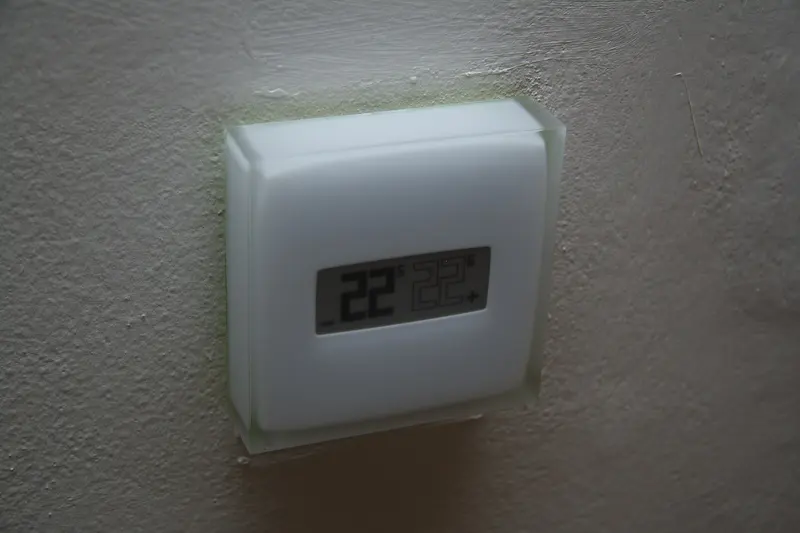
Most homes now have at least one "smart" device that isn't a phone or a computer: a speaker that answers questions, a video doorbell, a thermostat you control from an app, a fitness tracker or a smartwatch. They are easy to forget when you upgrade, move house or clear a drawer — but they are connected to your accounts, and some of them hold recordings, location history, health data or your home Wi-Fi details.
Why these devices matter
The NCSC's guidance on second-hand devices says that smart TVs, fitness trackers, speakers and games consoles "will also contain personal information", and that the way to erase them is usually a factory reset, following the maker's instructions.
Its guidance on smart devices at home is just as direct: "If you decide to sell, or give your device to someone else, you should first perform a factory reset." A reset returns the device to its original settings and, the NCSC says, "should also remove all your personal data from the device".
An ICO survey published in December 2024 suggests many people are unsure how to do this: 29% of UK adults said they didn't know how to wipe their personal information from old devices, and the average person had three unused devices at home.
Four steps for any smart device
- Check the maker's instructions. Resets differ widely — some use a button you hold down, some are in the app. Search the maker's own support site rather than a forum.
- Remove it from the app and your account. Most smart devices are registered to an account. Removing the device there means it no longer appears on your account, and lets the next person set it up as their own.
- Factory reset the device itself. This should clear Wi-Fi details, linked accounts and anything stored on the device.
- Take out memory cards. Some cameras and doorbells record to a card. Recycle Your Electricals says to remove SD and memory cards, and not to pass them on with the device.
Recycle Your Electricals also warns that factory resets on smart devices "vary wildly in how well they destroy your data". For a device that held anything sensitive — camera footage, for example — keep that in mind when deciding whether to sell it or recycle it.
Do it in the right order. The NCSC notes that if you use your phone to control smart devices such as security cameras or thermostats, you'll no longer be able to manage them once that phone is erased. Remove or move your smart devices before you reset an old phone.
Moving house
A smart thermostat, doorbell or camera that stays with the property still belongs to your account until you remove it. Before you move, take each fixed device out of your app and reset it, so the new occupants can set it up themselves — and you are not left with access to their front door camera or heating.
Smartwatches and fitness trackers
Watches and trackers often hold health and activity data and are paired to a phone. Apple's page on what to do before you sell or give away an Apple Watch is a good example of what to look for:
- Unpair it from your iPhone in the Apple Watch app, which erases the watch.
- "Enter your Apple Account password to turn off Activation Lock" — otherwise the next owner can't use it.
- On a mobile-data model, remove the mobile data plan and contact your network to cancel the contract if needed.
- If you no longer have the watch, Apple says you can erase it and remove it from your account through Find My on iCloud.com.
Other makers have similar steps in their own apps; check before you hand a device over.
Passing on: is it still supported?
The NCSC advises against devices the maker no longer supports, or will soon stop supporting, because they are easier to hack. Since 29 April 2024, UK law has required makers of most consumer connectable products to publish information on the minimum period they will provide security updates, to ban universal default and easily guessed passwords, and to publish how to report security issues, according to GOV.UK. (Ordinary desktop, laptop and tablet computers without mobile connectivity are among the exclusions.)
If you are giving a smart device to someone else, check whether its update period has ended. If it has, recycling may be the better choice.
When it's going for recycling
Smart speakers, doorbells, thermostats and watches are all electrical waste: they must not go in the household bin, and nearly all of them contain a battery. See hidden batteries: why old gadgets cause bin-lorry fires and our guide to getting rid of an old computer or phone at home.
For businesses clearing out connected devices — meeting-room speakers, door-entry systems, cameras — the duties in WEEE rules for businesses and data protection when you dispose of IT apply as for any other IT.
Sources
- NCSC: Smart devices — using them safely in your home
- NCSC: Buying, selling and donating second-hand devices
- GOV.UK: Regulations — consumer connectable product security (updated 17 March 2025)
- Apple Support: What to do before you sell, give away or trade in your Apple Watch
- Recycle Your Electricals: Destroy your data, don't just delete it
- ICO: 14 million people don't know how to erase their data from an old device (19 December 2024)
Checked 23 November 2026.
This article is general information, not legal advice. Rules differ between England, Wales, Scotland and Northern Ireland — check with the regulator or an adviser for your situation.