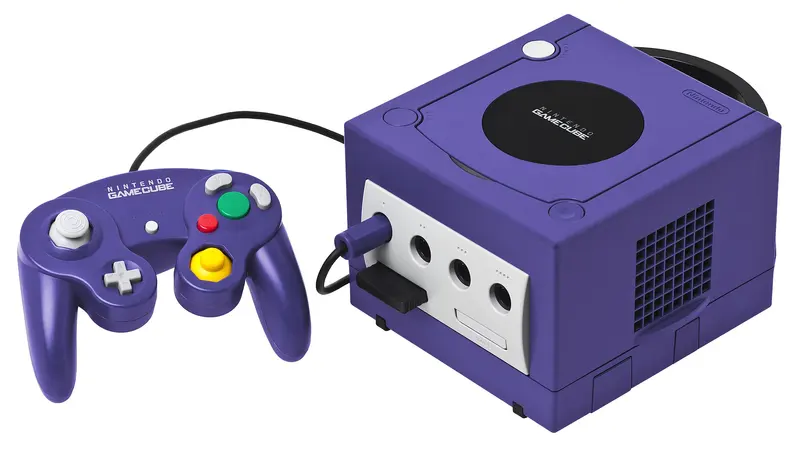
A games console is one of the most common things to be replaced at Christmas, and the old one rarely goes to waste: it gets sold, handed down to a younger relative, traded in or recycled. But a console is a small computer. It holds your account, your saved games, payment details linked to your online store, friends lists and messages.
The NCSC (the UK's National Cyber Security Centre) lists games consoles alongside smart TVs and fitness trackers as devices that "will also contain personal information", and says to check the maker's website for how to erase them — usually called a factory reset. Here is what the three main console makers say.
Before you start: back up and take things out
Whatever the make, the order is the same: save what you want to keep, remove anything that isn't part of the console, then reset.
PlayStation's UK support page for transferring or disposing of a console sets out a checklist that works as a model for any console:
- Write down the serial number. PlayStation says it "could be useful in the future to prove your identity or ownership".
- Remove discs and USB devices. "Remove anything from the console that you want to keep."
- Back up your data, to a backup file, the maker's cloud storage (if you subscribe) or a USB drive.
- Sync your trophies or achievements so they aren't lost.
- Take out any extra storage you fitted and want to keep, such as an M.2 SSD in a PS5.
Recycle Your Electricals adds one more: remove any SD or memory cards, and it suggests not passing on used memory cards with the device at all.
PlayStation
On a PS5, PlayStation's path is Settings › System › System Software › Reset Options › Reset Your Console. On a PS4, it is Settings › Initialisation › Initialise PS4 › Full. PlayStation's warning is worth taking seriously: "This process cannot be undone, so be sure not to delete any important data by mistake."
Xbox
Microsoft's page on what to do before you recycle, sell or gift an Xbox has three steps: back up your settings, reset the console to factory defaults (it links to Xbox Support for the exact steps), then remove the console from your Microsoft account. You do that at account.microsoft.com/devices: remove the device, then unlink it. If you skip this last step, the console can stay listed against your account after it has gone.
Nintendo Switch
Nintendo's support pages describe two kinds of reset. One keeps your save data and is meant for fixing problems on a console you are keeping. For a console that is leaving you, Nintendo is clear: "If you will no longer have access to the system (for example, if you are selling it or giving it to someone), use the full initialization process to remove all of your save data and user information."
A reset removes your data from the console, but your account still exists. Before you hand it over, check that you can sign in to your PlayStation, Microsoft or Nintendo account on the new console, and that any payment cards and two-step sign-in are working there.
How far can you trust a reset?
For most people, the maker's reset is the right step. Recycle Your Electricals is cautious, though: it says factory resets on smart devices such as consoles "vary wildly in how well they destroy your data", and advises: "Never trust a factory reset alone to securely delete your information." It suggests recycling such devices through trusted organisations with the tools to destroy data securely.
For a family console, that usually means: reset it, remove it from your account, and keep any removable storage. If a console won't switch on, you can't reset it — so treat it like any other device whose data you can't wipe, and use a recycler or a company that offers data destruction.
Where the old console can go
- Hand it down or sell it. A reset console can be set up from scratch by the next owner. Our guide to getting rid of an old computer or phone at home covers selling and donating safely.
- Shop take-back. GOV.UK says a shop that sells you a new electrical item must offer to take back an old one of the same type free in store, and give you at least 28 days to bring it in. Larger shops (over 400 square metres of electrical sales area) must also take back very small items under 25cm on their longest side, unless they have joined the industry take-back scheme instead.
- Recycle it. Consoles, controllers and cables are electrical waste and must not go in the household bin. PlayStation's own page ends: "Follow local regulations when disposing of your console."
Wireless controllers and handheld consoles contain rechargeable batteries. Keep them out of the general rubbish — see hidden batteries: why old gadgets cause bin-lorry fires.
If you are replacing a phone too, the same thinking applies: see a new phone for Christmas? What to do with the old one.
Companies on Green ITAD that list donation, reuse or recycling among their services:
- Donation and reuse126 companies
- IT recycling390 companies
- WEEE recycling258 companies
- Drop-off121 companies
Sources
- PlayStation UK: Transfer or dispose of your PlayStation console
- Microsoft Support: Before you recycle, sell or gift your Xbox or Windows PC
- Nintendo Support: How to initialize Nintendo Switch without deleting save data
- NCSC: Buying, selling and donating second-hand devices
- Recycle Your Electricals: Destroy your data, don't just delete it
- GOV.UK: Electrical waste — retailer and distributor responsibilities (take back waste in store)
Checked 23 November 2026.
This article is general information, not legal advice. Rules differ between England, Wales, Scotland and Northern Ireland — check with the regulator or an adviser for your situation.