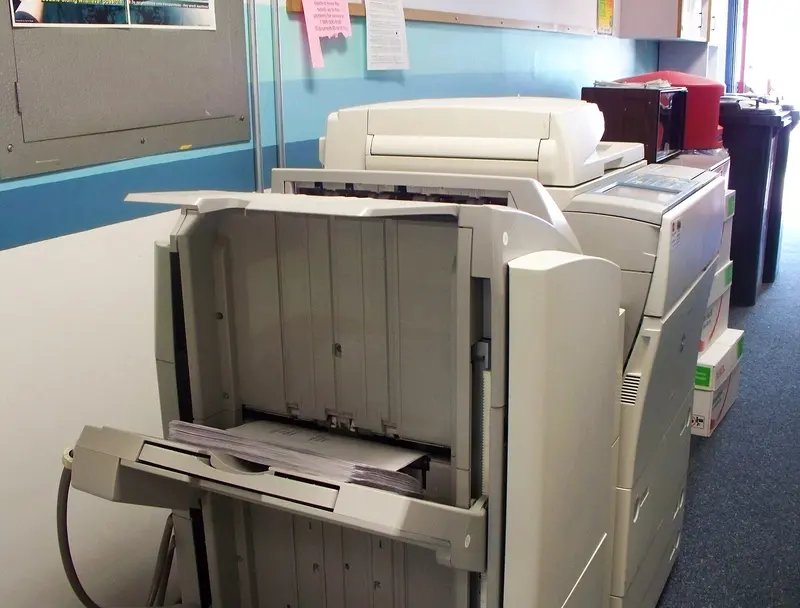
Storage turns up everywhere
When an office clears out old IT, the laptops and servers usually get wiped. The rest — printers, copiers, routers, switches, firewalls, Wi-Fi access points — is easy to overlook. The NCSC’s guidance on secure sanitisation says that practically every electronic item now contains some form of storage, and lists among them:
- routers and switches
- many peripherals, such as monitors, memory sticks and memory cards
- “internet of things” devices.
It also gives a warning from real life: several gigabytes of sensitive documents have been recovered from decommissioned photocopiers and printers. Its rule of thumb is simple — any device that you think might contain storage should be sanitised. It also suggests keeping an inventory of which assets contain storage, or should be assumed to.
Printers and copiers
A modern multi-function device that prints, copies, scans and emails can work much like a computer, and some keep jobs and settings on an internal drive or memory. Before one leaves the building:
- Check the maker’s documentation for its data erase or overwrite function, and use it. The NCSC suggests keeping manufacturers’ sanitisation instructions to hand for exactly this.
- Think about what it was set up to do. If it scanned to email or to shared folders, it may hold address books and the sign-in details it used. Change any passwords it used.
- If you can’t confirm it has been wiped, have the storage erased with a verified method or removed and destroyed — see data wiping and destruction standards.
Leased copiers
A leased copier or printer goes back to the leasing company or dealer at the end of the contract, but your data protection duties don’t end because the machine belongs to someone else. UK GDPR requires appropriate security for personal data, and the ICO’s security guidance specifically mentions how you dispose of electronic waste and the risk from abandoned old computers. The NCSC advises seeking assurance from third parties that data stays protected after a contract ends. Before the collection date:
- Read the lease or service contract for what it says about data on the device.
- Ask the supplier, in writing, how the storage will be wiped or removed, and for a certificate.
- If the answer isn’t good enough, ask whether you can wipe it yourself first, or keep and destroy the drive.
Routers, switches, firewalls and Wi-Fi
Network devices hold their configuration, and that can include passwords, keys and certificates. One router maker’s documentation, for example, describes a factory reset that clears the running and start-up configuration, credentials, keys and licences, and says all sensitive information should be removed before a router is returned for repair or replacement.
- Keep what you need first. The NCSC’s decommissioning guidance says to back up anything needed for a rollback, and to check the replacement works before anything irreversible — such as destroying configuration data — is done.
- Use the maker’s reset or secure erase, following the instructions for that model, since what gets wiped varies between products and software versions.
- Close the doors behind it. Revoke any certificates or accounts the device used, and change passwords or keys it shared with other equipment.
- No reset? Treat the data as still there. The NCSC notes that where there’s no manufacturer-provided reset, it may not be possible to reach all of a device’s memory, so a well-funded laboratory might recover something. Someone responsible for the risk has to accept that, or the storage should be destroyed.
Don’t forget the small things
Memory sticks, SD cards and other removable media go in the same sanitisation process as everything else. Monitors and smart devices are on the NCSC’s list too. For phones and tablets, see wiping company phones and tablets.
Getting it collected
Once the data is dealt with, equipment you’re getting rid of is normally WEEE: printers, like other IT and telecoms kit, are in category 3, IT and telecommunications equipment. The usual waste rules apply — see WEEE rules for businesses and duty of care. If an ITAD company handles the wiping, ask whether its process covers copiers and network devices, not just computers, and whether you’ll get a certificate for each item.
Find companies offering data erasure, data destruction or lease returns, or use the checklist for choosing a provider.
Sources
- NCSC: Secure sanitisation and disposal of storage media
- NCSC: Decommissioning assets
- NCSC: Device security guidance — erasing devices
- Cisco: Catalyst 8400 software configuration guide — factory reset (an example of a router maker’s reset instructions)
- ICO: Security — a guide to the data protection principles
This guide is general information, not legal advice. Rules differ between England, Wales, Scotland and Northern Ireland — check with the regulator or an adviser for your situation.